
ApeSurvey OEM
RTK surveying software OEM · rebuilt on the ApeSurvey algorithm core
For RTK device manufacturers: adapted to your device protocols and delivered under your brand.
Four tabs, the whole field workflow
Project, Instrument, Measure and Tools: every function entry maps to the real software screen
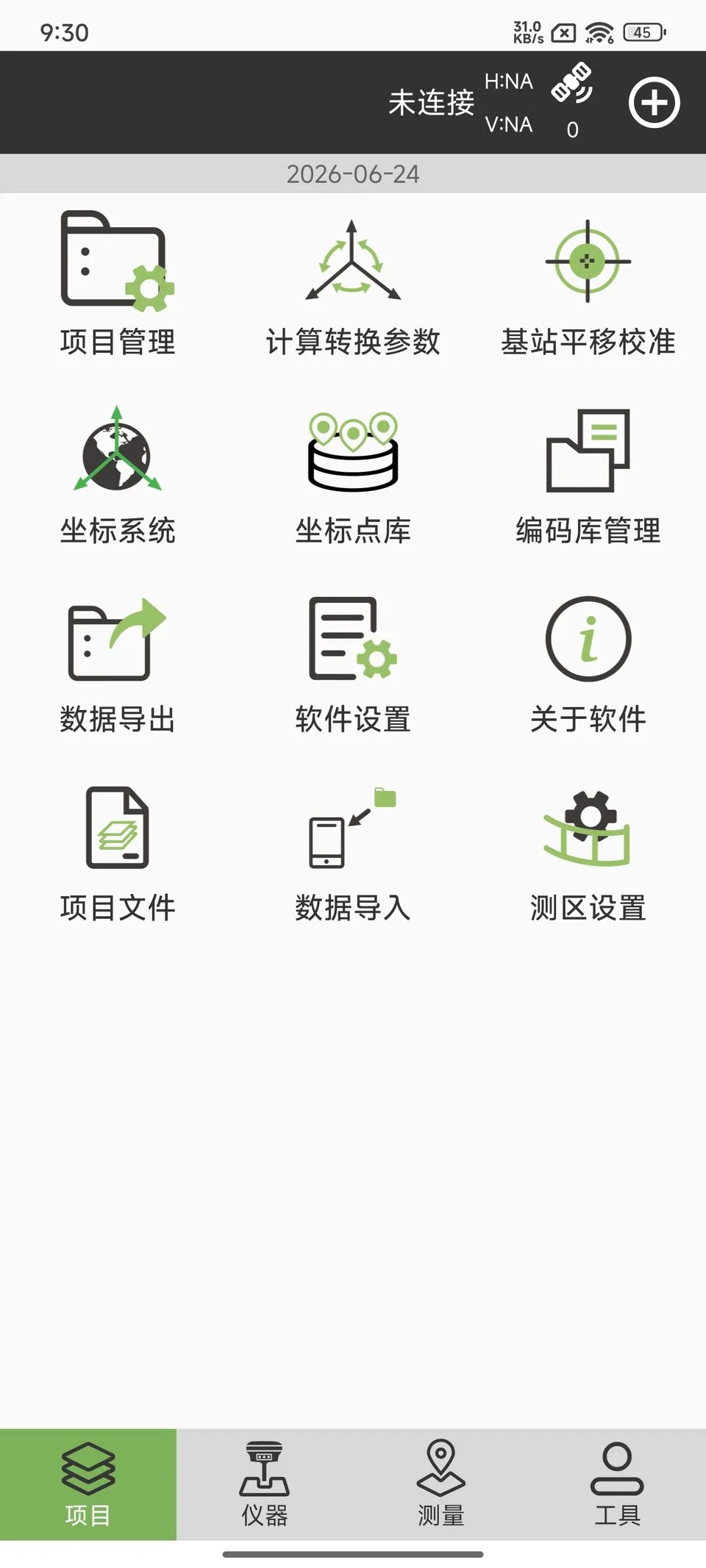
Projects and data
- Project management, project files
- Coordinate systems, transformation parameters
- Point library, code library
- Data import / export
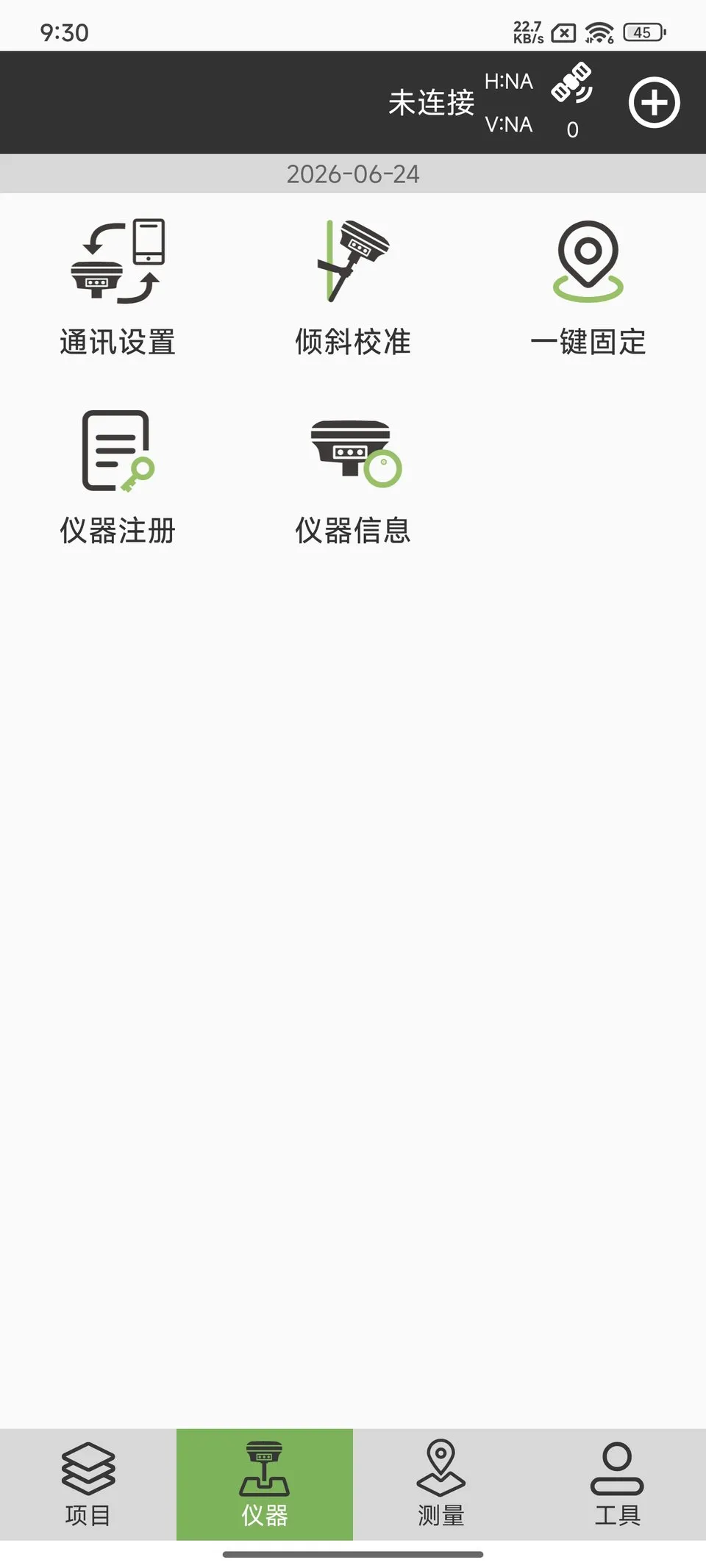
Instrument
- Communication settings
- Tilt calibration, one-key fix
- Instrument registration, instrument information
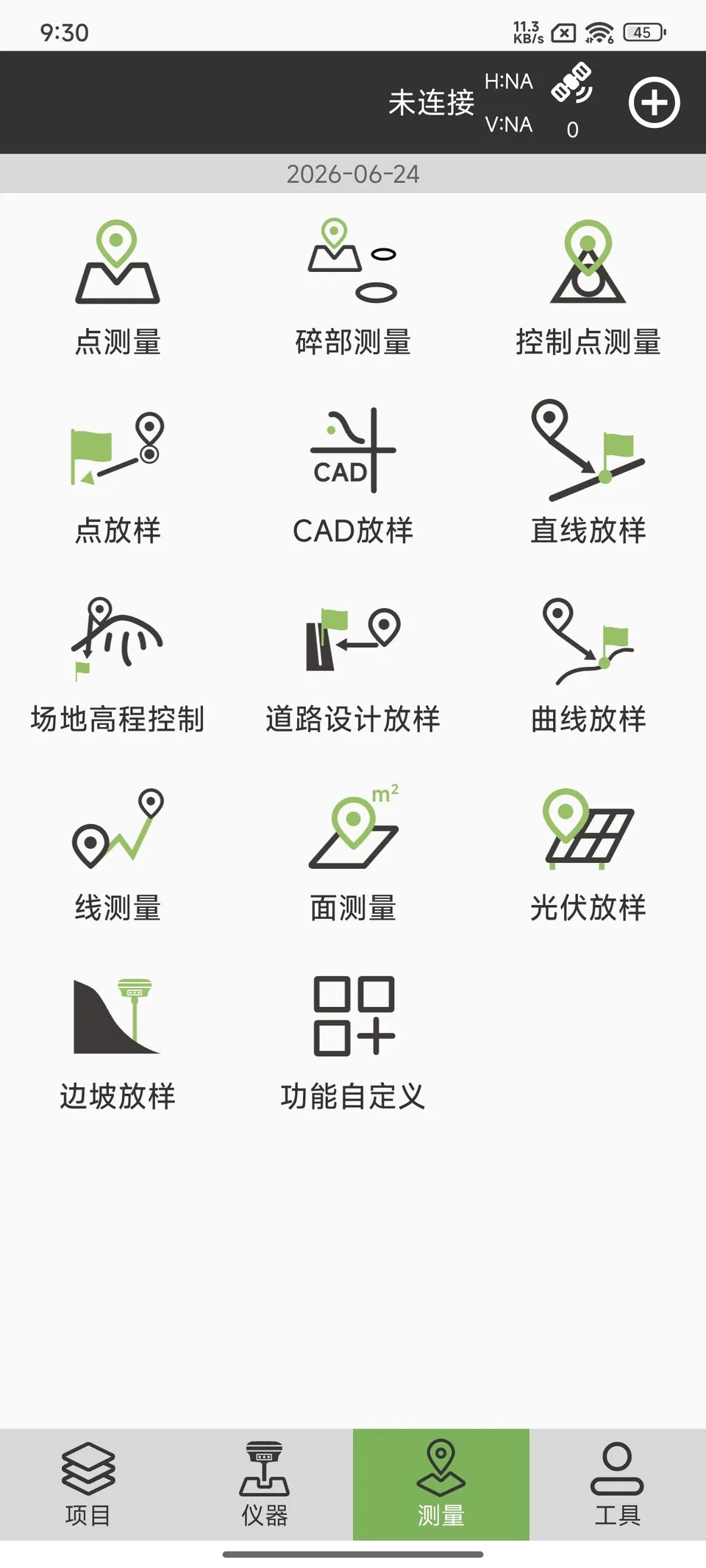
Measurement and stakeout
- Point survey, detail survey, control point survey
- Point stakeout, CAD stakeout, line / curve stakeout
- Road design stakeout, slope stakeout, PV stakeout
- Line survey, area survey
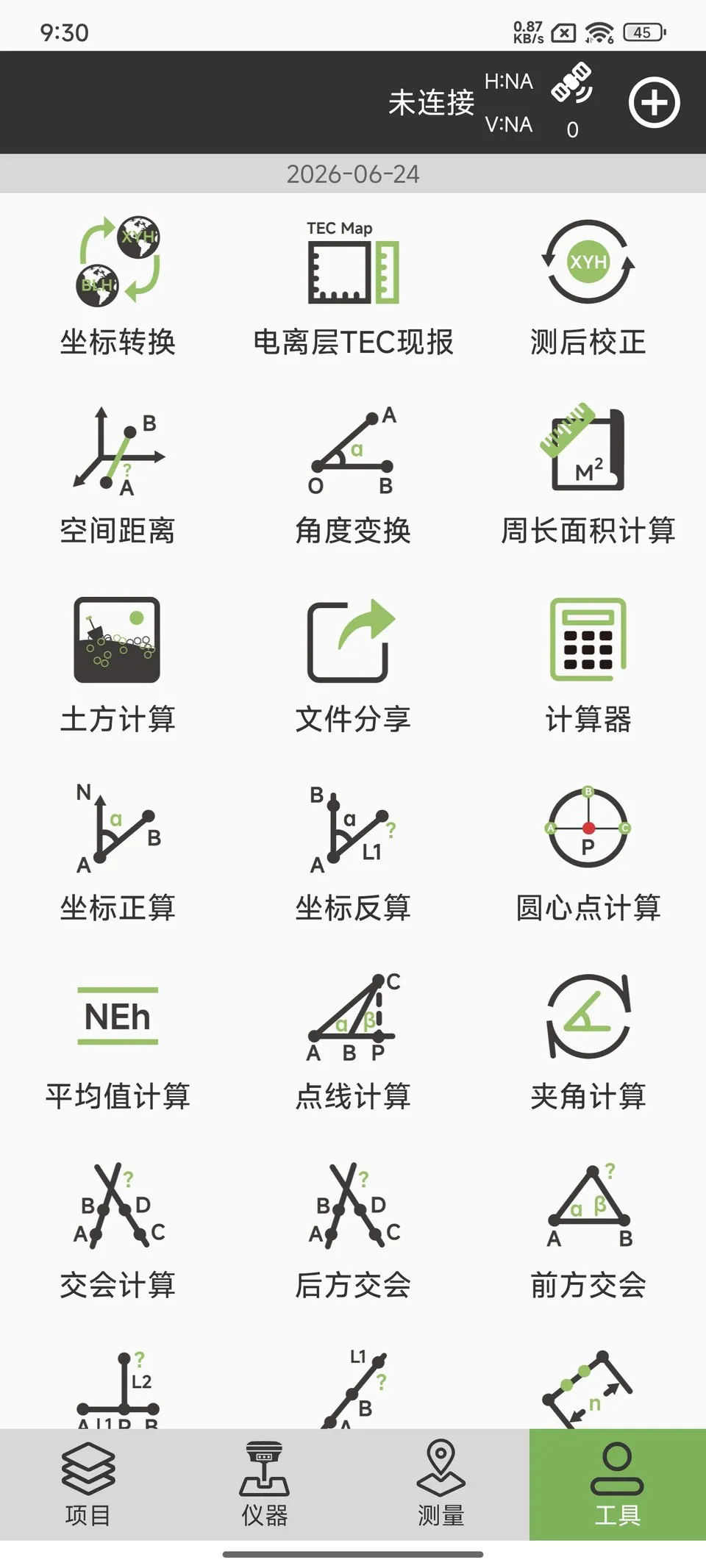
Tools
- Coordinate conversion, forward / inverse calculation
- Intersections: resection, forward intersection
- Volume calculation, perimeter and area
- Angle, distance and average calculators
The working screens
Point survey and stakeout: accuracy, coordinates, offsets and graphics on one screen
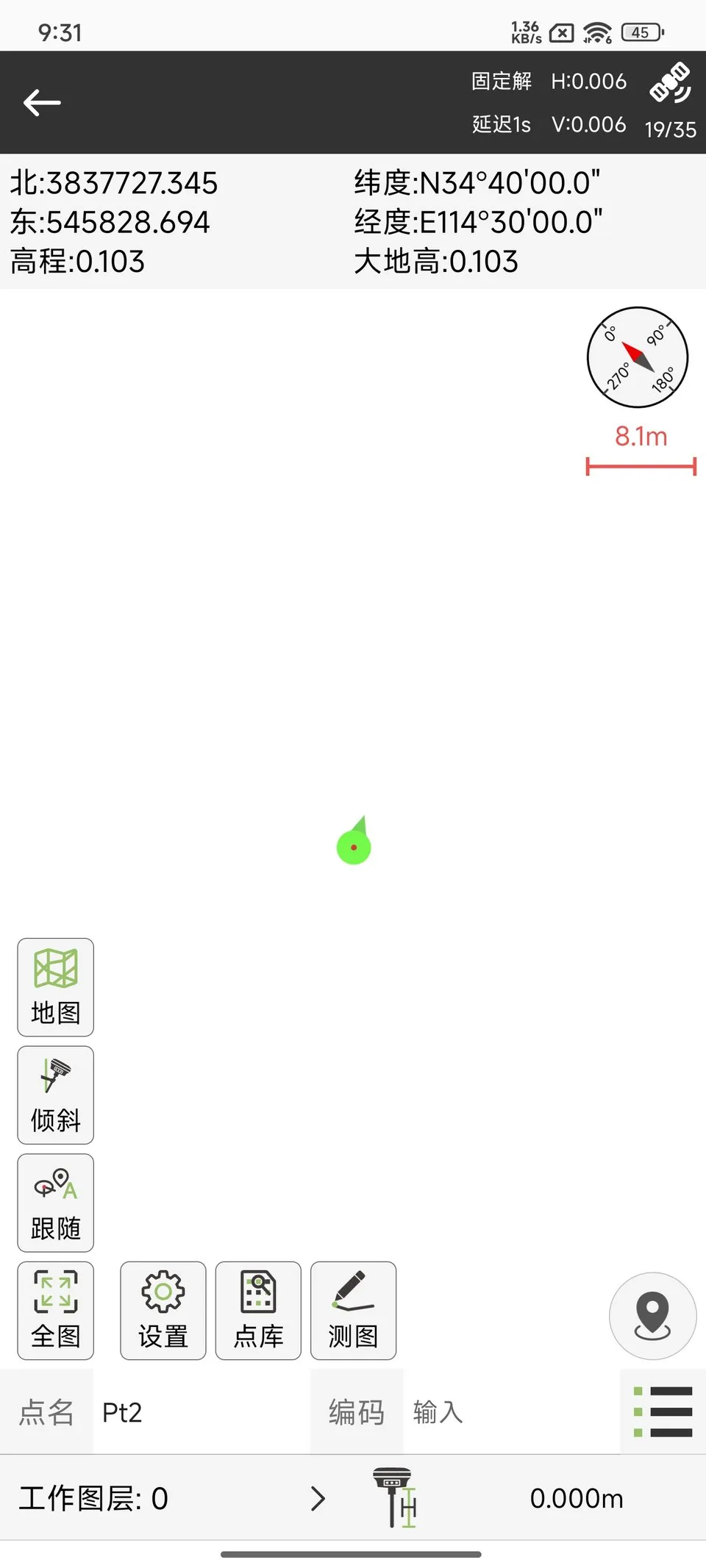
Point survey
- Fixed solution, H/V accuracy and satellite count
- Point name, code and working layer
- Compass, scale bar and map overlay
- Tilt, follow and full-map shortcuts
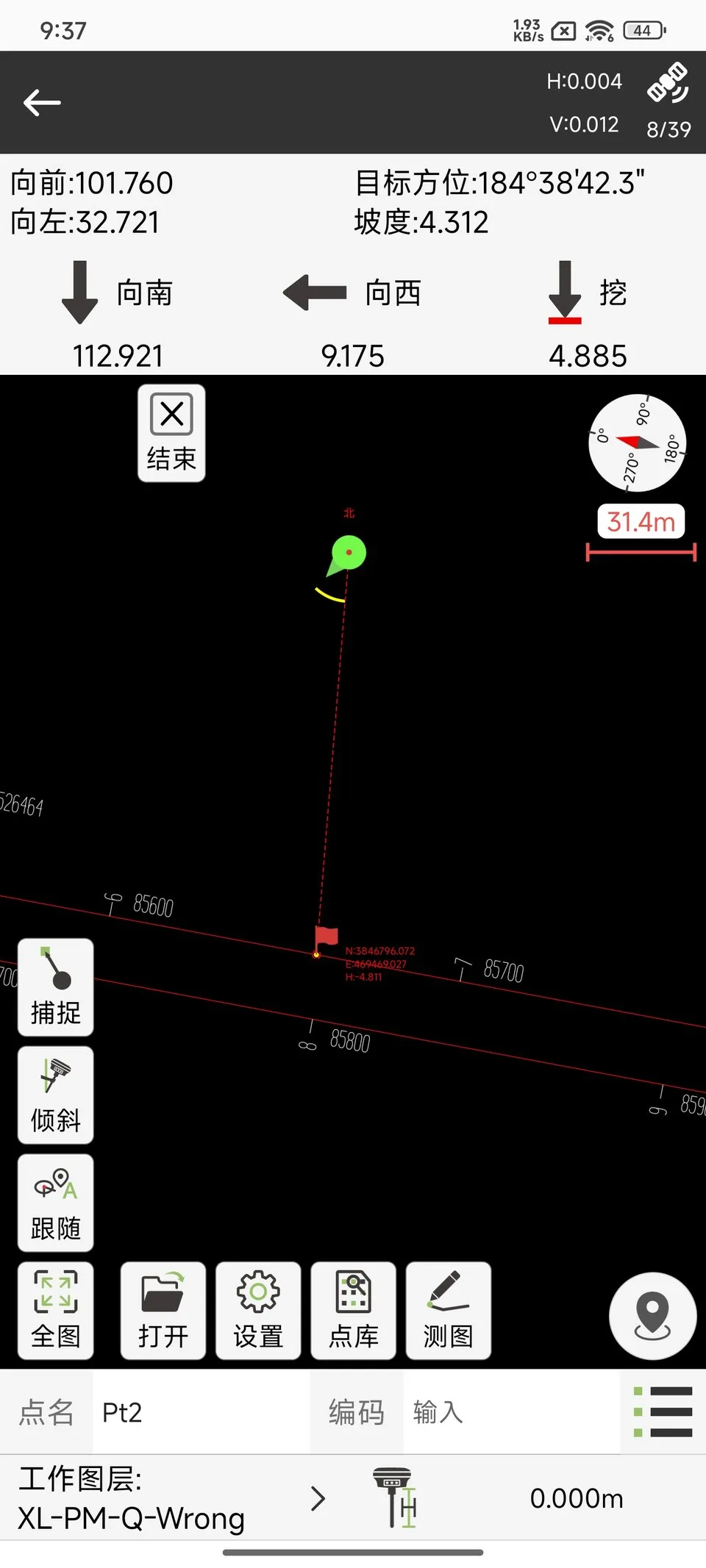
Stakeout
- Forward / left, target bearing and slope
- South / west / dig offsets in three axes
- Graphical indication of the design line and target
- Capture, tilt, follow and full map
New product, proven core
The product is new; the algorithms and the team are not
Proven algorithm core
The core algorithms come from ApeSurvey, refined over 10+ years; the OEM edition is rebuilt on that core.
The same team
The same team works with you directly; once requirements are clear, adaptation and iteration can start quickly.
Per-device licensing
Licensed per device, suited to volume deployment; the exact terms are agreed in the contract.
Try it first, then partner
30-day free trial with full functionality. No account required — the software reads the device information after installation; one trial per device.
- 01
Contact us for the installation package
- 02
Install and open the software
- 03
Apply for the 30-day trial in the app
Try it on a sample unit or a real project; feedback is welcome.
From software to brand, delivered together
Delivered under your brand, adapted to your device, with licence management
Branded delivery
App name, icon, splash screen and About page presented under your brand.
Protocol and command adaptation
Communication protocols and commands adapted to the device documentation you provide.
Function adaptation
On the proven product, adjusted to device capabilities and field requirements.
Licence management
Activation codes bound to channel codes, issued and managed per device.
From documentation to acceptance
Scope and timing are assessed per project and agreed in the contract
- 01
Requirement review
Confirm device model, function scope and branding requirements.
- 02
Documentation and sample unit
The manufacturer provides protocol and command documentation plus a test unit.
- 03
Protocol adaptation
Complete device communication and function adaptation.
- 04
Joint testing
Verify functions and compatibility on the sample unit.
- 05
Delivery and acceptance
Deliver the adapted build and accept it under the contract.
Issued per device, separated per customer
Licences are managed centrally; different OEM customers do not share codes
- Licensing
- Activation codes issued per device; channel codes separate OEM customers.
- Status
- Trial, expiry control and remote revocation.
- Admin console
- Generate codes, view devices and manage licence status.
Support after delivery
Adaptation support when firmware or device commands change
Maintenance support
Technical support and issue fixes after delivery, within the scope agreed in the contract.
Firmware update adaptation
Adaptation when a firmware update changes communication or device commands.
For RTK manufacturers
For RTK manufacturers and white-label brands. The manufacturer provides device protocol and command documentation plus a test unit for integration.