
ApeSurvey App
A professional smartphone surveying tool
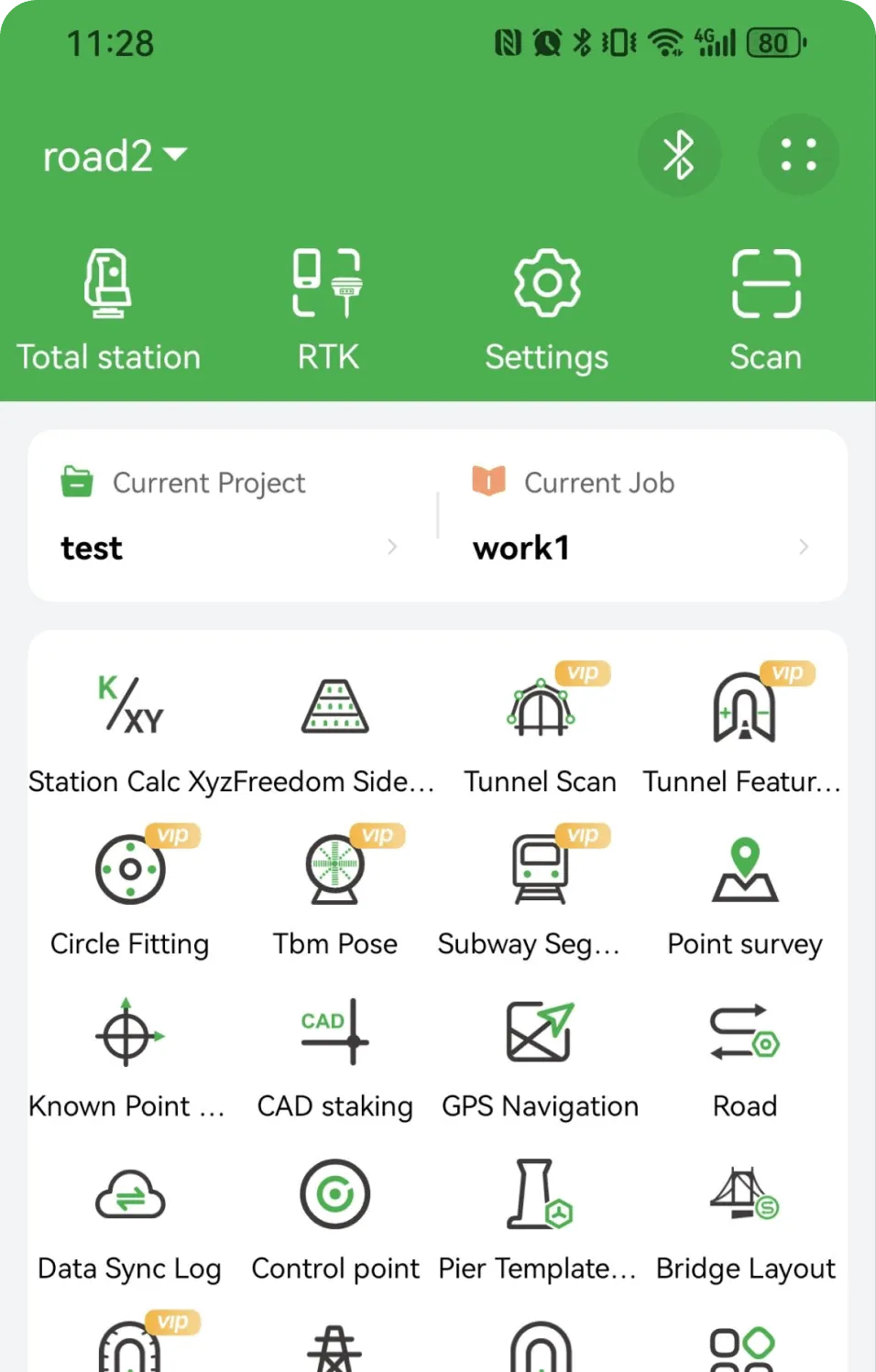
A field surveying app for engineering and road work — full-element stake out, cross-section survey and instrument connectivity in one tool.
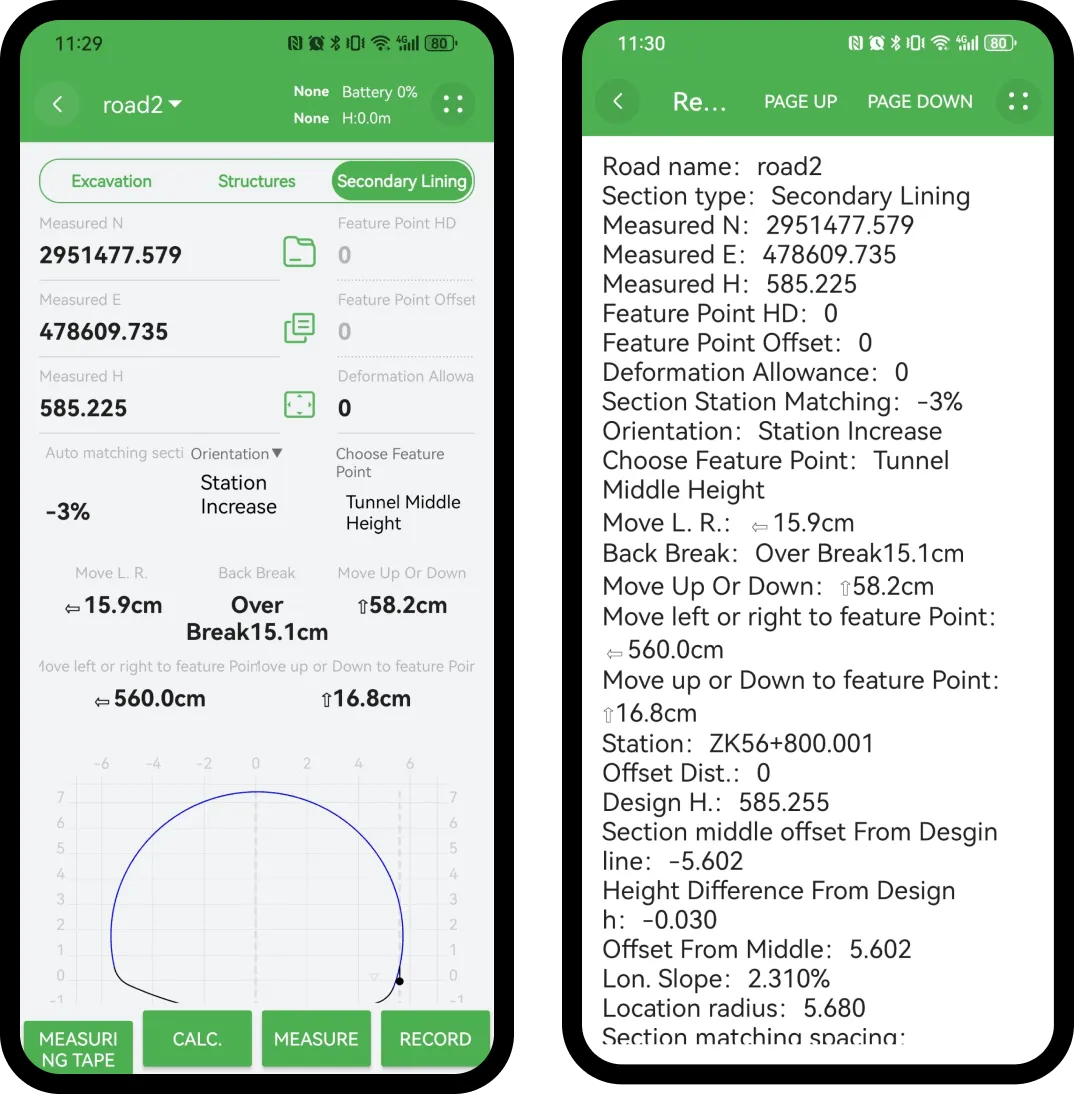
Graphical display of computed results
Real-time graphical views for horizontal curves, vertical curves and cross-sections — measurement results are clear at a glance, no manual plotting needed.
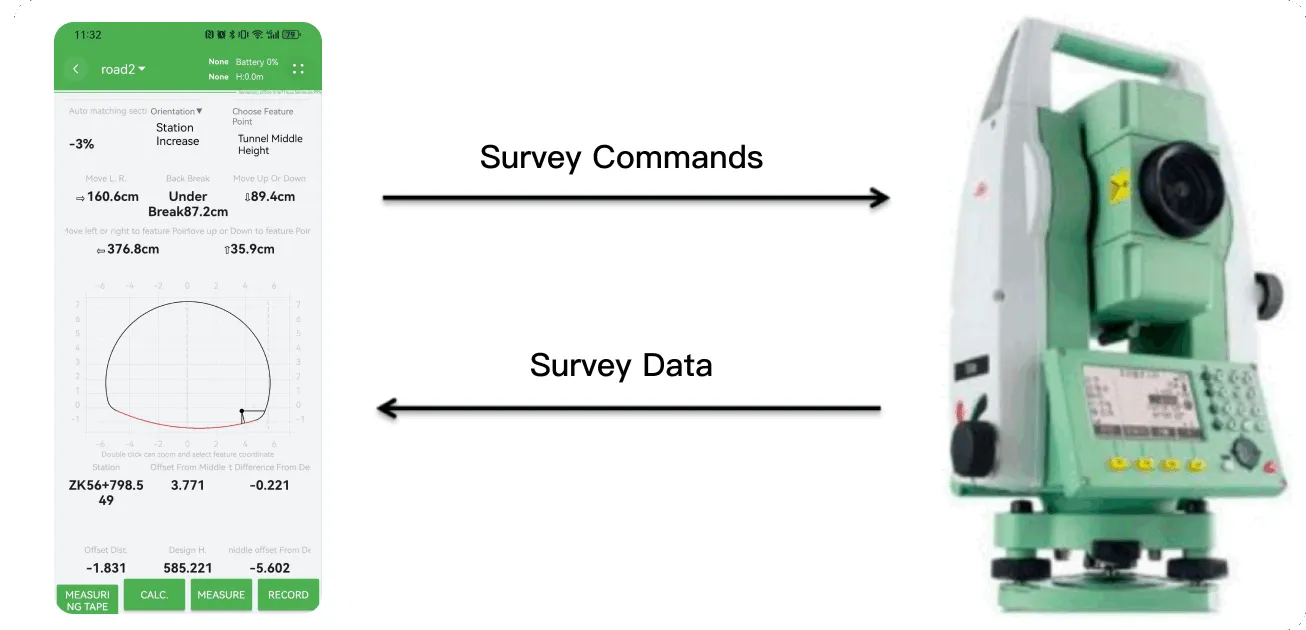
Connect instruments and read coordinates in real time
Bluetooth-link popular total stations and RTK devices (Leica, Topcon, South, Sokkia and more) — read coordinates, auto-record and compute instantly.
Key Functions
Six core functions covering road, slope, tunnel, cross-section, bridge and circle-center work.

Road Staking
Full-element staking of horizontal/vertical curves, superelevation and widening; one-key switch between edge and center stakes.

Slope Staking
Multiple slope models, automatic toe/crest computation, precise guidance for cut and fill.

TBM Attitude
Real-time monitoring of TBM attitude deviation, automatic correction computation for tunnel-driving accuracy.

Cross-section Survey
Automatic cross-section and profile measurement with earthwork computation; one-click report generation.

Bridge Staking
Precise staking for piers, cap beams and box girders; supports multiple bridge types.

Circle Center Fitting
Auto-fit of center coordinates and radius from multi-point measurement, with circularity error assessment.
Alignment parameters can be entered in the app or imported from design data. Deformation Monitoring and Custom Formulas are available as custom features, alongside general tools for point, line and surface stake out, coordinate conversion and element computation.
Workflow
- 01
New project and alignment
Create the project, then create the alignment under it.
- 02
Enter alignment parameters
Horizontal curve, vertical curve and standard cross-section.
- 03
Connect the instrument and set up
Total station or RTK connection, station setup and point calibration.
- 04
Stake out and survey
Road, slope and structure staking, plus point, line and surface stake out and cross-section survey.
Supported Instruments
Works with a wide range of total stations and RTK devices.
Total Stations
RTK
…and more.